
CAEN SyncTest x742
Demo Software for x742 Digitizers Synchronization
Highlights
-
Console application to demonstrate the synchronization of two V/VX1742 CAEN digitizers
-
Digitizers configuration by configuration text file with parameters and instructions
-
Multi-board acquisition management by key commands
-
Multi-channel waveform plot
-
Individual settings for threshold and DC offset adjustment
-
ASCII data saving
-
Source files and Visual Studio project open source for developers
Overview
SyncTest x742 software is a C-based console application for the specific support of the x742 CAEN digitizers basing on the CAENDigitizer library.
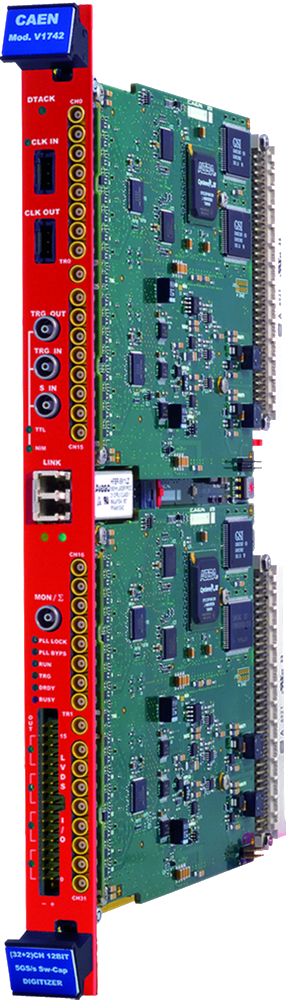
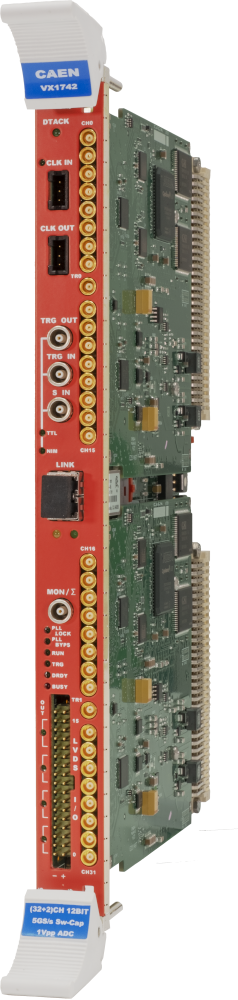
The software has the specific goal of demonstrating the synchronization of two V/VX1742.
SyncTest x742 can perform the following operations:
-
Connect two digitizers through a physical communication interface (USB, Optical Link or VME).
-
Program the digitizers for the synchronization according to parameters written in a configuration file (text file).
-
Check the clock alignment.
-
Start and stop the acquisition (run on/off).
-
Acquire waveforms from the digitizers and check the alignment of the signal in comparison to a reference channel.
-
Save the waveform samples to timestamped ASCII files.
SyncTest x742 is provided with C source files to let the users customize the code for personalized solutions.
The program core is a C application that configures the digitizer, starts/stops the acquisition, and checks the alignment of a signal in comparison to a reference channel, according to a set of parameters as reported in the configuration text file. Data passing the alignment check (waveforms or time histograms) can be plotted using the third-party Gnuplot tool, or saved to output text files.
|
Supported Operating Systems: |
Windows, Linux |
|
Language: |
C |
|
Supported Products: |
VME x742 Digitizers |
|
Supported Comm. Interface: |
USB, Optical Link, VME |
|
Additional Software Required: |
CAENDigitizer, CAENComm, CAENVMELib, Gnuplot (Linux only) |
Applications
-
Signal inspection and waveform recording
-
Sensors readout and detectors’ performances
You also may be interested in…
Request a Quote

Footer